

SEO for small business: what to do yourself in a month, and what to pay for
Most of the SEO a small Australian business needs fits into a month of evenings. What to do yourself, week by week, and the point where DIY stops saving you money.
Most of the SEO a small Australian business needs fits into one month of evenings. By the end of this guide you’ll have a four-week plan (about 13 hours by my rough estimate) and a simple test for when to stop doing it yourself and pay someone.
SEO for small business usually starts with a blog. I’d start somewhere far less glamorous: checking that Google can actually see your site. That hour is worth more than any number of posts Google never gets a chance to show.
You’ve probably been told SEO is complicated, sent a quote you couldn’t judge, and now told you need an “AI strategy” too. Most of it you can do yourself. A few parts you shouldn’t, and I’ll say which.
SEO for small business means helping Google find, understand and trust you
SEO for small business is the work of making sure Google can find your website, understand what you do and where, and trust you enough to show you to people searching for it. It’s mostly housekeeping and plain writing, not tricks. The aim isn’t traffic. It’s enquiries from people who need what you sell.
That breaks into three jobs. Find: can Google crawl your pages and add them to its index, the giant list it picks results from? Understand: do your pages say what you do, in your customers’ words? Trust: do you have reviews, consistent business details and other sites mentioning you?
Plenty of owners chase the third job while the first is quietly broken. If you’d rather hand the whole lot over, that’s what our SEO service is for. If not, read on.
A four-week small business SEO plan you can do yourself
Can I do SEO myself? Yes, mostly. About 13 hours across four weeks, using free tools from Google, covers what most small businesses need. That’s for a site of up to ten pages: one long evening a week.
The order matters: nothing else counts if Google can’t see the site.
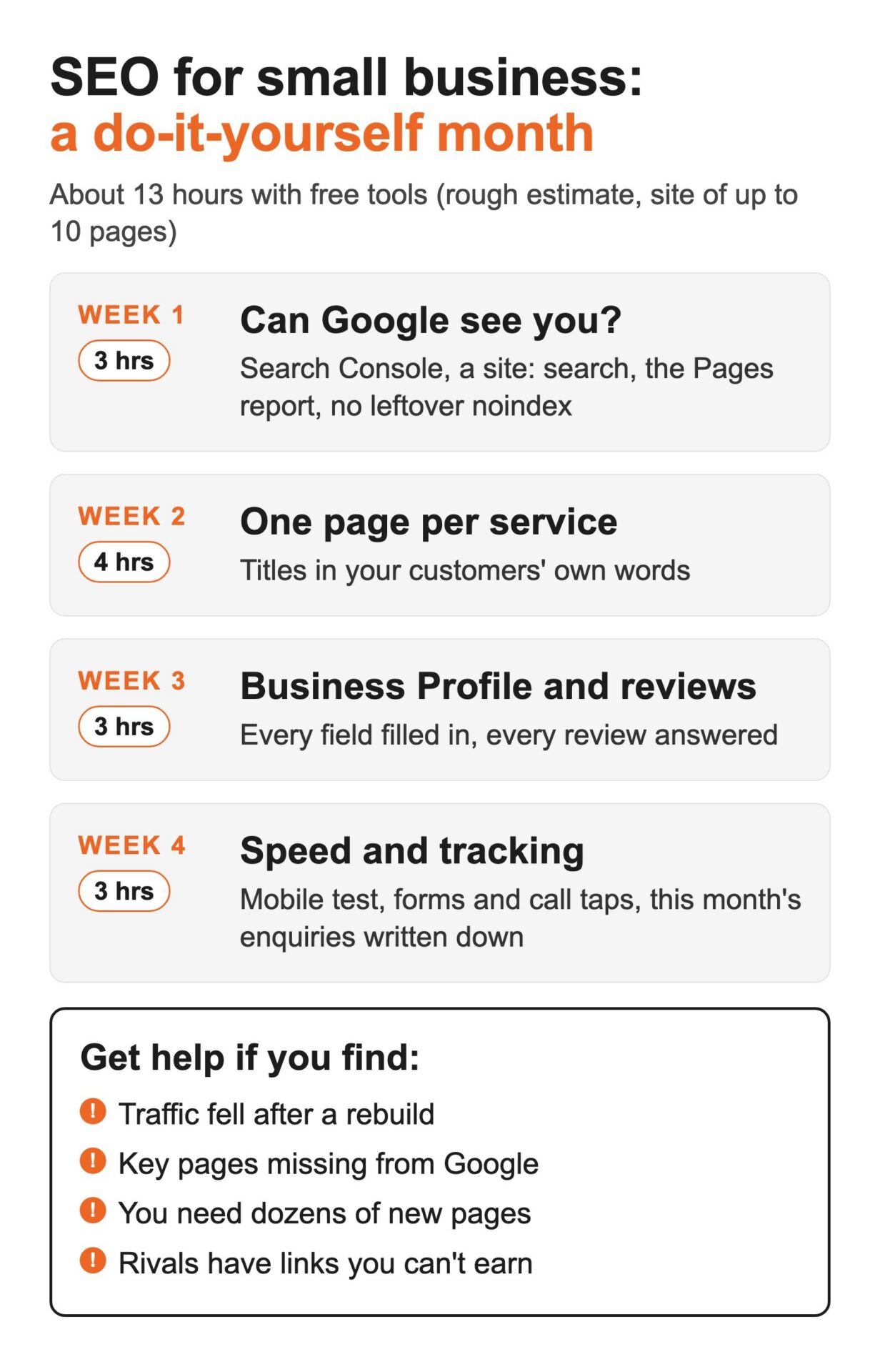
Week 1: make sure Google can see you (about 3 hours)
Set up Google Search Console and Bing Webmaster Tools. Both are free.
Then type site:yourdomain.com.au into Google, a check Google suggests in its SEO Starter Guide. Count what shows up against the pages you actually have.
Next, check Search Console’s Pages report for important pages listed as not indexed. The usual culprits are leftovers from the build:
- a noindex tag, a line of code telling Google “don’t show this page”;
- a blocking robots.txt, a file telling search engines which parts of the site to skip;
- several live versions of the site (http, https, www and non-www) instead of one https address.
A site Google can’t get into is a Saturday open home with the front door locked. Immaculate inside, and nobody’s getting in.
Week 2: one page per service, in your customers’ words (about 4 hours)
Give each service its own page. Then write a title tag for each (the clickable headline in Google’s results) and a meta description (the short line underneath).
Start with the words in your enquiry emails and call notes, then sanity-check them with our guide to keyword research with ChatGPT and Google Sheets.
Take Smith Plumbing, a fictional tradie in Parramatta:
- Don’t: Home | Smith Plumbing
- Do: Blocked drains Parramatta | Smith Plumbing
Nobody has ever typed “Home” into Google looking for a plumber.
Ignore three old myths while you write. Google’s Starter Guide says it doesn’t use the keywords meta tag, there’s no magical word count, and keywords in your domain name have hardly any effect. Its guidance on helpful content boils down to writing for people first.
Week 3: your Google Business Profile and reviews (about 3 hours)
If customers visit you, or call from nearby suburbs, your Google Business Profile can matter as much as your website. Complete every field.
Google says local results are “mainly based on relevance, distance, and popularity”, and that “there’s no way to request or pay for a better local ranking on Google” (Google Business Profile Help).
Ask every happy customer for a review, and reply to every review, including the bad ones: a calm reply to a one-star review shows the next reader how you handle problems.
Now the serious bit, because the rules on reviews are law, not etiquette. The ACCC’s guidance on online reviews says it’s against the law to create fake or misleading reviews. You mustn’t remove genuine negative reviews, and any incentive has to apply whether the review is good or bad, and be disclosed. For the rest of the job (service areas, photos, listings), work through our local SEO checklist.
Week 4: speed, tracking and a baseline (about 3 hours)
Test your key pages on mobile in PageSpeed Insights. It reports on Core Web Vitals: how fast the main content appears, how quickly the page responds to a tap, and whether things jump around while it loads.
Then track enquiries in GA4, Google’s free analytics: form submissions and call taps (people tapping your number on a mobile).
Finally, write down this month’s enquiries, pages indexed and Search Console clicks. Without that baseline you can’t tell in three months whether any of this worked, or judge anyone you hire.
AI Overviews and AI Mode don’t need a separate plan
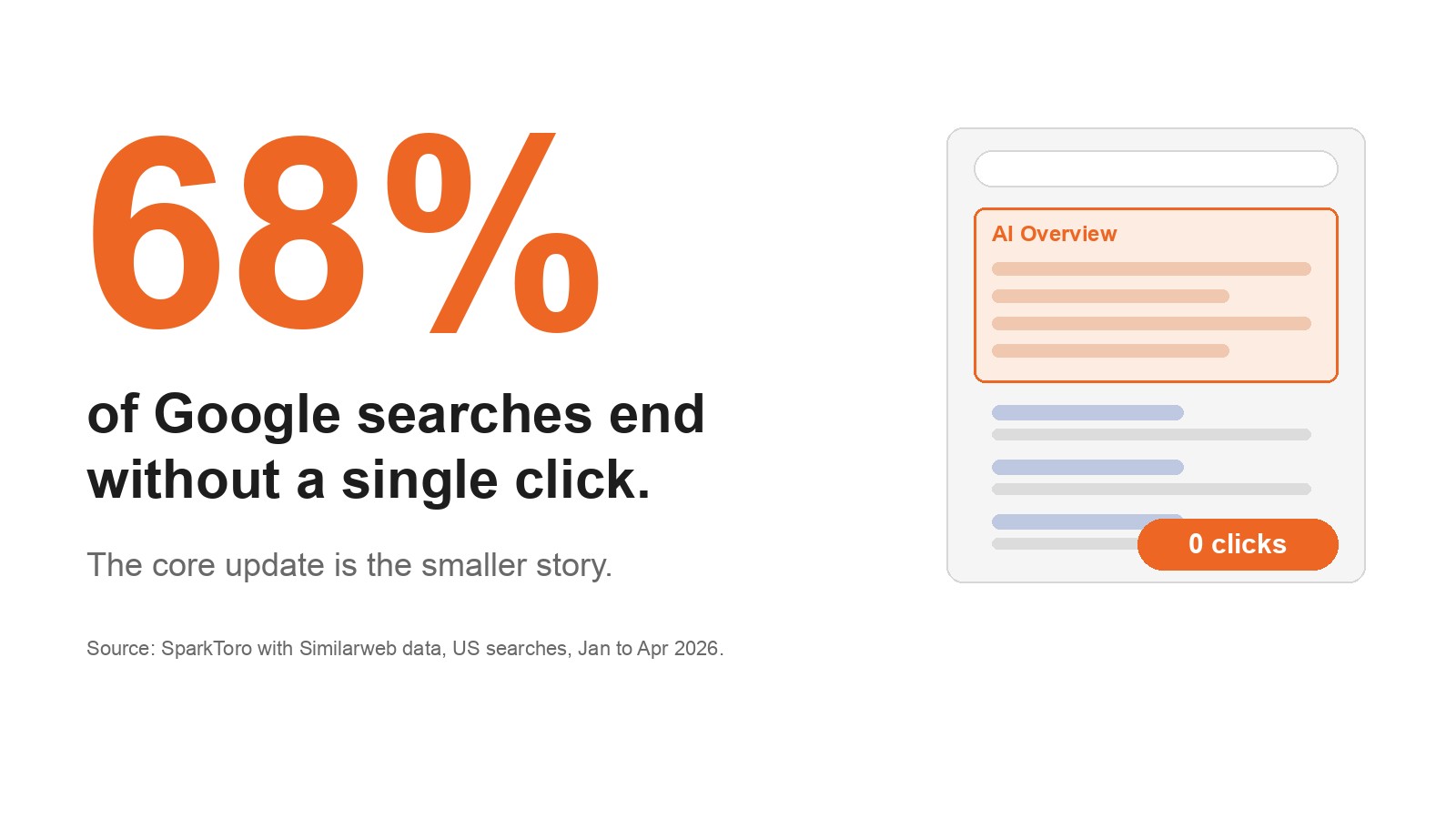
Somewhere right now, a slide deck is selling “AI SEO” as a premium add-on. Google’s own documentation is less exciting. Its page on AI features and your website says: “There are no additional requirements to appear in AI Overviews or AI Mode, nor other special optimizations necessary.”
The same page says you don’t need new machine-readable files, AI text files or special markup. A page has to be indexed and eligible to show with a snippet. That’s Week 1. Their traffic is counted in Search Console’s Performance report (Web search type), so your Week 4 baseline covers it.
One way to picture it: an AI Overview is a receptionist who can only recommend businesses whose details it can read. Plain sentences about what you do, where and for whom give it something to repeat. A slogan gives it nothing.
This is Google describing Google’s features; ChatGPT and Perplexity have their own rules. For Google Search, Weeks 1 and 2 are the AI work.
Where DIY quietly costs more: what a rebuild can do
The jobs that hurt DIY owners are the invisible ones, and a site rebuild is the classic trap.
Acme Framing, a picture framer in Surry Hills, had replaced its old Flash site. (Yes, Flash. The trap hasn’t changed.) Technical issues were keeping the new pages out of Google’s index. At Pulse we fixed those issues, added schema (code that labels business details so search engines read them correctly), corrected directory listings and ran Google Ads while the organic results caught up. On 4 March 2017, four months in, Acme ranked #1 on Google for nine framing searches, as the Acme Framing SEO case study shows. Running ads while SEO builds is one reason SEO vs PPC is the wrong question for most small businesses.
Four months sits inside Google’s own warning that some changes take effect in hours and “others could take several months”. Expect months, not weeks.
Four jobs tend to cost more done yourself than handed over:
- Fixing indexing after a rebuild or migration. One wrong setting can hide a whole site.
- Site structure. Reorganising pages carelessly can break the ones that already rank.
- Earning links from other sites. It takes relationships and judgement. Buying links for rankings breaks Google’s spam policies.
- Content at scale. Past a certain number of pages, your evenings become the bottleneck.
Plenty of people do their own tax return in myTax. Add a rental property or a company structure and the accountant pays for themselves. SEO splits the same way.
What drives SEO cost in Australia, and the promises to walk away from
I won’t quote a price. The cost depends on things you can assess yourself: the state of your site, especially after a rebuild; how competitive the searches are where you trade (one suburb versus all of Sydney); how many service and location pages you need; who writes the content; whether links need earning; and whether tracking already works.
Walk away from guaranteed rankings (Google’s page Do you need an SEO? says “No one can guarantee a #1 ranking on Google”), paid “better local rankings” and mandatory AI text files.
The same Google page suggests questions for any SEO. Can they show past work? Do they follow Google Search Essentials? What results do they expect, and in what timeframe? Will they explain every change? Give them read-only Search Console access, not the keys to everything. Google also reminds owners they’re responsible for what a hired SEO does.
The test: when small business SEO stops being a DIY job
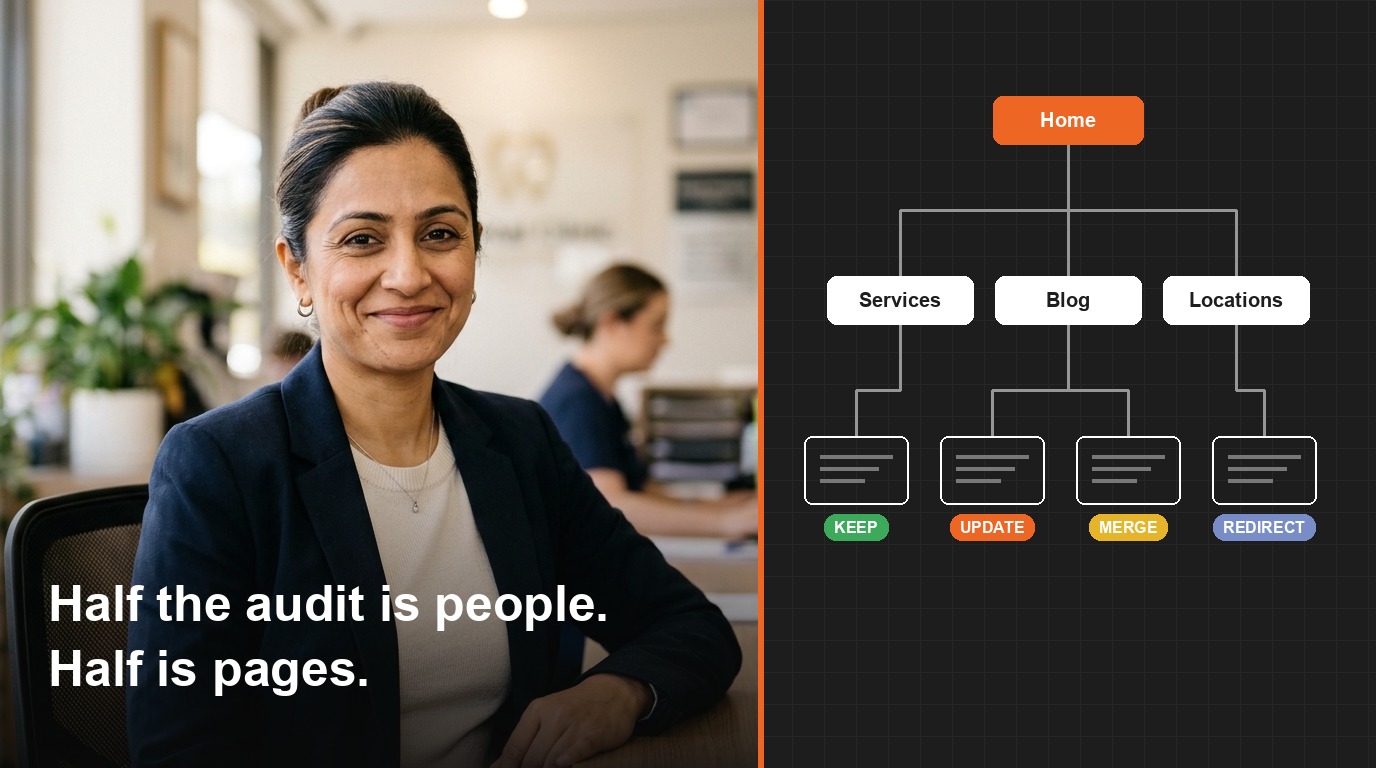
Keep the work that depends on knowing your customers. Pay for the work that needs access you can’t safely touch (redirects, server settings, site structure), or more weekly hours than your business can spare for months.
If Week 1 turns up pages Google won’t index and you can’t see why, stop and get help. About to rebuild? Get help before launch, not after. If that’s where you are, talk to our SEO team.
Which of the four weeks have you been avoiding, and what would it cost you to leave it another year?
FAQ: SEO for small business
What is SEO for small businesses?
SEO for small businesses is the work of making sure Google can find your website, understand what you do and where, and trust you enough to show you to people searching. Most of it is housekeeping: indexing, clear service pages, a complete Business Profile, genuine reviews and tracking. The goal is enquiries, not traffic for its own sake.
Can I do SEO myself?
Yes, for most of what a small business needs. Search Console setup, clear titles, a complete Google Business Profile and enquiry tracking take roughly 13 hours over a month. Pay for help with a site rebuild, indexing problems you can’t diagnose, site structure, earning links, or more content than you can write well.
Is SEO paid or free?
Both. You don’t pay Google for organic results (ads are a separate, labelled product), and Google says there’s no way to pay for a better local ranking. The tools in this plan, including Search Console, PageSpeed Insights and GA4, are free. What you pay for is time: your own evenings, or someone else’s expertise when the work gets technical.
What is the 80/20 rule for SEO?
It isn’t an official Google rule. It’s the idea that a few tasks bring most of the results. For a small business, that’s usually making sure Google can see your site, then giving each service a clear page written in your customers’ words. Start there before blogging, social posts or anything labelled AI.
Can ChatGPT do SEO?
It can help with parts of it. ChatGPT is useful for drafting titles, meta descriptions and keyword lists. It can’t see your Search Console, change your site’s settings or know what customers say on the phone. Treat what it writes as a first draft, and check every claim before it goes live.