
What are AI agents? The new visitors your website might be turning away
Google has published how to let its AI agent through firewalls and bot blockers. Before you chase AI visibility, make sure your forms aren't turning away the visitor who's ready to book.
An AI agent is software that acts for a person online: it searches, opens websites, fills in forms and makes bookings. So here’s a question worth asking about your own site: if a customer’s AI agent tried to send you an enquiry, would your website let it?
Everyone wants to be “visible in AI” right now. The advice is usually more content: FAQs, schema, articles written for chatbots. Fine. But there’s a duller test that comes first, and few small businesses run it: when an AI agent tries to do something on your website, like send an enquiry or make a booking, does your site let it through?
On 17 November 2026 Google published a guide on exactly that. It explains how to let Google-Agent through firewalls, security services and bot blockers. Read the troubleshooting section and it’s a list of the things that quietly break a sale: CAPTCHAs on forms, blocked booking steps, rate limits.
My view: before you spend a dollar on “AI visibility”, spend ten minutes making sure you’re not blocking the visitor who has already decided to buy. Not every bot deserves a welcome mat. This one probably does.
What are AI agents, and how are they different from crawlers?
An AI agent is software that browses the web and takes actions for a person: it searches, clicks, fills in forms and completes tasks. A crawler only reads pages, usually to build a search index or to train an AI model.
The difference matters to your business. A crawler takes your content. An agent may be helping a potential customer compare options, send an enquiry or book.
A few AI agent examples you might already have seen:
- Restaurant bookings in Google’s AI Mode. You ask for a table and Google finds one. Google expanded this to Australia in April 2026, with the booking finalised through partners like OpenTable and Resy.
- Shopping agents that compare products and check out for you. Google has said its agentic checkout will roll out in Australia.
- ChatGPT’s agent and similar tools that can open sites and fill in forms when you ask.
These show what agents can do. Google hasn’t said which of them, if any, use Google-Agent to visit your site.
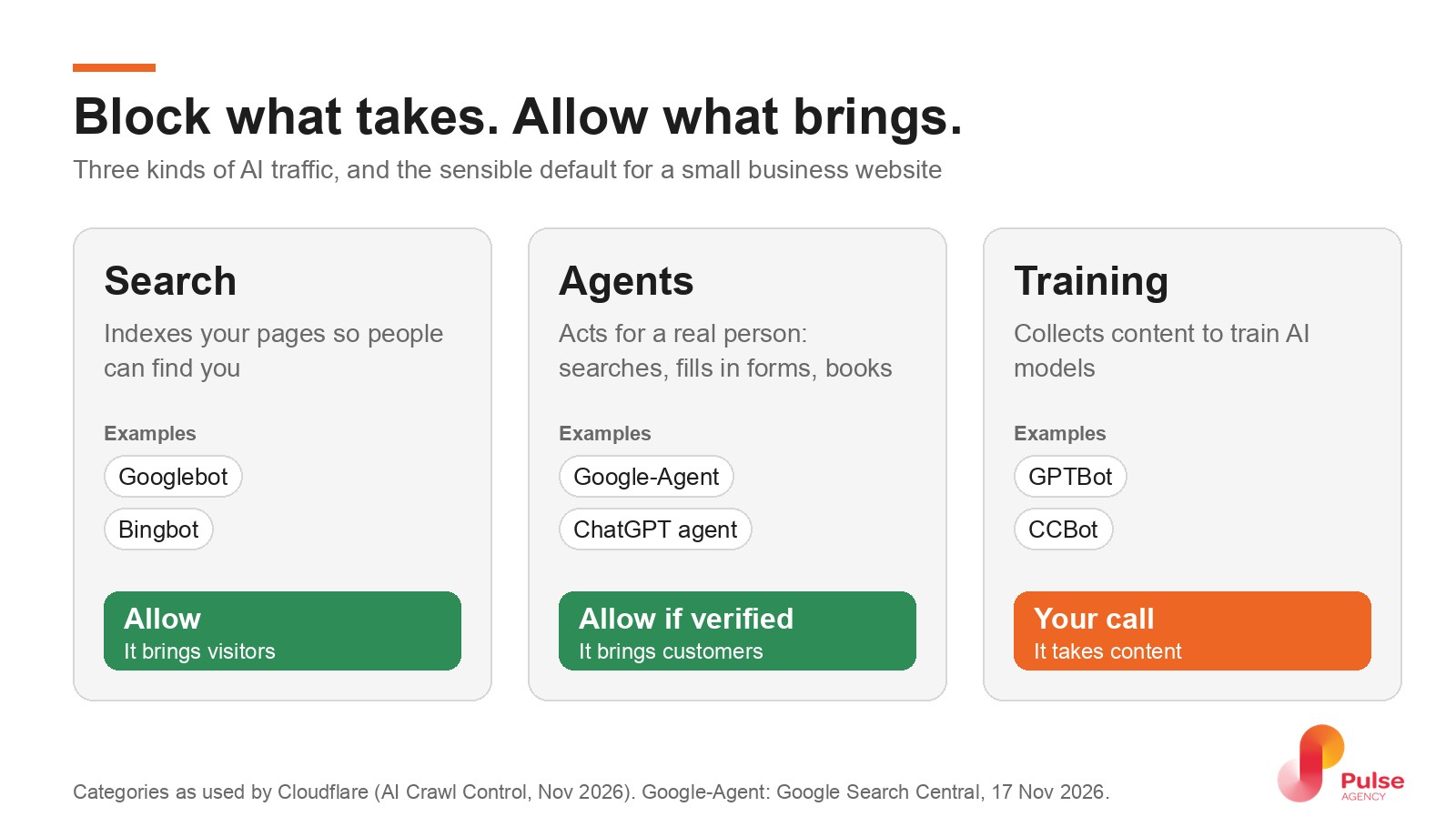
Cloudflare, which sits in front of many small business websites, now sorts AI traffic into three groups: search, agents and training. Its own documentation recommends allowing personal agents and allows them by default on new domains. That split is the most useful idea in this whole topic.
What Google actually published
Google-Agent is the name Google gives to agents running on its infrastructure that “navigate the web and perform actions upon user request”. Its new guide says three practical things:
- How to recognise it. The visit says “Google-Agent” in its user agent, and comes from IP addresses Google publishes in a list. Some requests are also signed with a newer standard called Web Bot Auth, so security services can verify them.
- Verified requests should skip bot challenges. That includes CAPTCHAs “triggered on search or form submission”. Verification only tells you the request came from Google. It doesn’t prove the booking is genuine, so keep your normal spam, payment and account checks in place.
- The allow rule has to cover the whole journey, not just the homepage: search, detail pages, add-to-cart, booking and the background requests your forms use.
What it doesn’t say matters too. Google doesn’t say which of its products send Google-Agent to websites, or in which countries. So I won’t tell you you’re losing customers today. Google hasn’t published that data, and I haven’t seen it anywhere for Australian small businesses. What I can say is that Google has built the agent, given it an ID and published instructions for letting it in. That’s a direction of travel, and checking costs you ten minutes.
If you want the bigger picture of where this is going, I wrote earlier about whether we’ll end up buying through ChatGPT instead of Google.
Why robots.txt isn’t a reliable way to block or allow it
Most owners who’ve heard about AI bots have heard about robots.txt, the small file that tells crawlers what they may read. Here’s the twist: Google says user-triggered fetchers like Google-Agent generally ignore robots.txt, because a person asked for the visit.
So robots.txt isn’t the lever in either direction. If agents are being blocked on your site, it’s happening further out: in your firewall, your CDN, a security plugin or your form. As Slobodan Manic wrote in Search Engine Journal, “robots.txt is no longer a complete access control tool.”
Where small business websites block AI agents by accident
Nobody sets out to block a customer. It happens through settings that made sense at the time:
What the animation shows: an AI agent searches for a physio, opens a fictional clinic’s booking form and fills it in. An “Are you a robot?” check pops up and the booking stops there. When the clinic lets verified agents skip the check, the same booking goes through. The line it ends on: block what takes, allow what brings.
- A “block AI bots” switch. Many owners turned one on in their CDN or security plugin to stop content scrapers. Depending on how it’s set, it can catch agents too.
- CAPTCHAs on contact and booking forms. Great against spam. Also a wall for an agent, unless verified agents skip it, which is exactly what Google asks for.
- Country or data-centre blocks. Blocking overseas traffic or cloud IP ranges is common on small sites. Agents run in data centres.
- Rate limits per IP address. Google warns that many users’ agent requests can share the same addresses, so a strict limit can trip.
- Booking tools you don’t control. If your bookings run through a hosted widget or practice-management system, its settings matter more than yours. For an NDIS provider or a clinic, that’s often where the real door is.
For an NDIS provider like Auscare Support, the enquiry form is the front door to new clients. That’s the page to protect and the page to test. The same goes for NDIS and disability service providers generally, clinics, trades and law firms: anywhere the website’s job is to start a conversation.
Not every bot deserves a welcome mat
There’s a real case for blocking. Big companies are closing doors: The Verge reported in October 2026 that Delta is stopping agents from booking tickets and some banks are keeping them out of accounts, for fraud and security reasons. Cloudflare’s CEO, Matthew Prince, has argued for blocking AI crawlers that take content without paying.
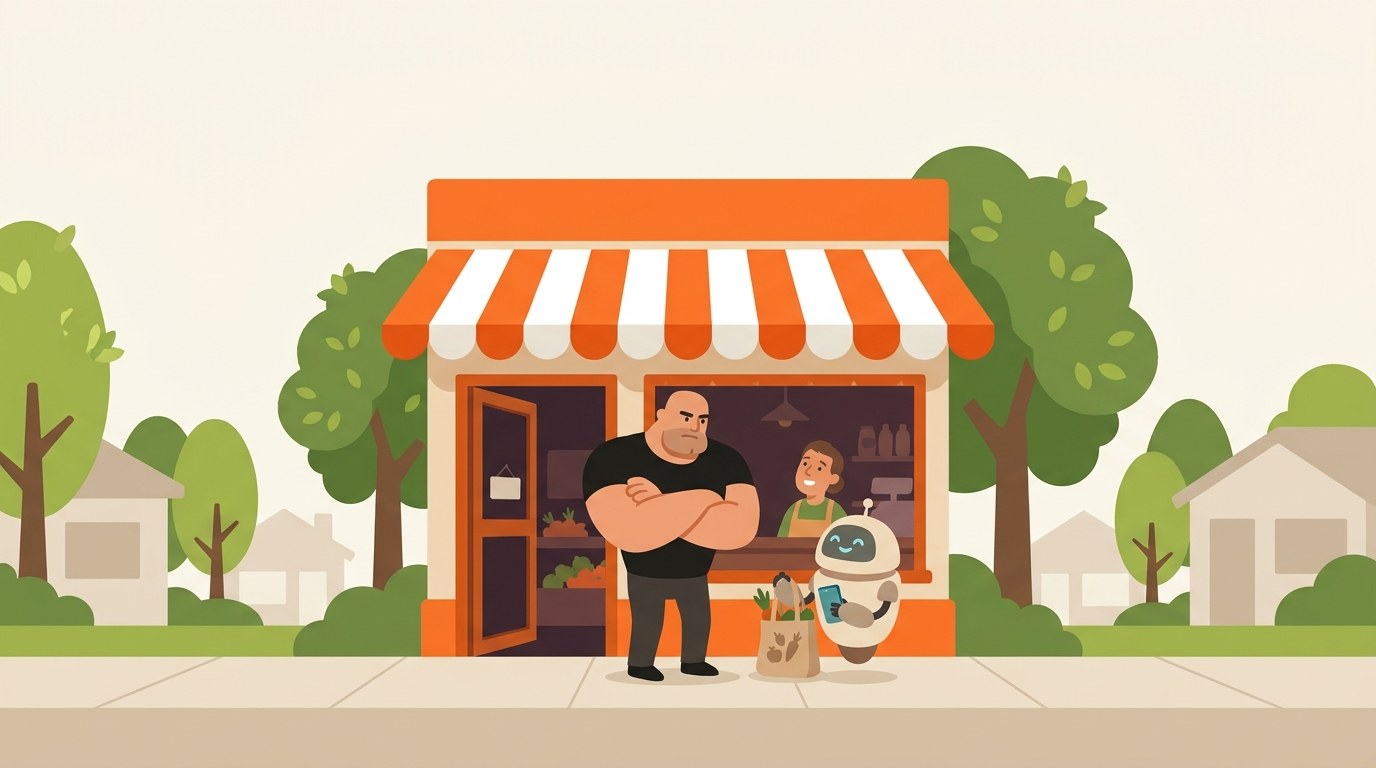
Both are fair. But notice the difference. Delta has a fraud team and a reason to control every booking. Prince is talking about crawlers that read content, not agents that bring customers. For a physio in Parramatta or a family law firm in Newcastle, the sensible default is simple: block what takes, allow what brings, and verify before you trust.
Five questions to send your web person
You don’t need to understand IP lists. Send these questions to whoever looks after your site:
- Do we have any “block AI” or “block bots” setting switched on? Does it separate crawlers from agents?
- Do our contact or booking forms show a CAPTCHA to automated visitors, and do verified agents skip it?
- Are we blocking overseas or data-centre traffic?
- Do our logs show any visits with “Google-Agent” in the user agent, and do they come from Google’s published addresses?
- If our bookings run through another platform, has anyone asked the vendor how it treats verified agents?
If the answers are “no idea”, that’s worth fixing whatever happens with AI. It usually means nobody owns the website’s setup, and that hurts real customers too.
Where I land
Agents won’t replace your customers. They’ll increasingly run errands for them. Some of those errands will end on your website, and the businesses that are easy to deal with, for people and for their agents, will win the boring, profitable ones.
So yes, keep working on being found. That’s what SEO is for. Just make sure that when someone, or something acting for them, turns up ready to book, the door opens. If you’d like us to check yours, get in touch.
FAQ
What are AI agents?
AI agents are software tools that act for a person online: they search, open websites, fill in forms and complete tasks like bookings or purchases. That’s different from a crawler, which only reads pages to index them or train an AI model. Google, OpenAI and others now run agents that can visit business websites when a user asks.
What are some AI agent examples?
Common examples include restaurant booking in Google’s AI Mode, which Google expanded to Australia in 2026, shopping agents that compare products and check out, and ChatGPT’s agent, which can browse sites and fill in forms on request. Businesses also use AI agents internally for customer service, scheduling and research.
Does robots.txt stop Google-Agent?
No. Google says user-triggered fetchers such as Google-Agent generally ignore robots.txt, because a person requested the visit. Whether Google-Agent can use your site depends on your firewall, CDN, security plugins and forms. Google recommends verifying it by its published IP addresses and letting verified requests skip bot challenges.
How do I know if Google-Agent has visited my website?
Ask your developer or host to search your server or CDN logs for “Google-Agent” in the user agent. Because anyone can fake a user agent, they should also check the visit came from an IP address in Google’s published list for user-triggered agents. Some requests are also signed with Web Bot Auth, which security services can verify.
Should I block AI bots from my website?
Separate them first. You might choose to block AI crawlers that only collect content for training. AI agents acting for a real person are different: they can bring enquiries and bookings. Cloudflare’s own documentation recommends allowing personal agents. Block what takes, allow what brings, and verify agents before you trust them.